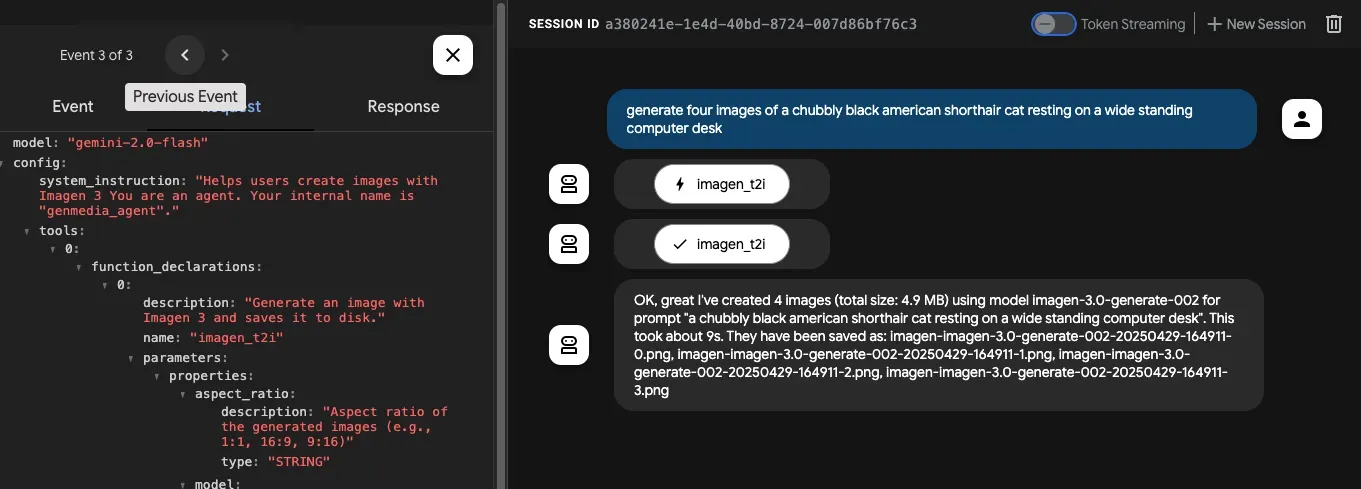
ADK sample
This directory contains a Google Cloud AI Agent Development Kit sample agent that uses the MCP genmedia tools.
Prerequisites
Section titled “Prerequisites”Install the MCP Servers for Genmedia tools. This example uses the Go versions and assumes you’ve installed them locally.
Add an .env file to the genmedia_agent agent directory:
GOOGLE_CLOUD_PROJECT="your-project-id"GOOGLE_CLOUD_LOCATION="your-location" #e.g. us-central1GOOGLE_GENAI_USE_VERTEXAI="True"Start the Imagen MCP Server
Section titled “Start the Imagen MCP Server”The agent example contains two MCP servers using STDIO (Veo, Chirp 3) and one using the SSE protocol (Imagen).
Start the Imagen MCP Server in a separate terminal:
export PROJECT_ID=$(gcloud config get project)mcp-imagen-go --transport sseRun the ADK Developer UI
Section titled “Run the ADK Developer UI”In this dir, start the adk web debug UX:
uv syncsource .venv/bin/activateadk web