Storyboard
Create a scene with Reference to Image feature in Nano Banana
- Go to ComfyUI. Click the
Workflowsmenu on the left and selectstoryboard>storyboard_reference_to_image_scene1.json. - It will open the workflow in ComfyUI which will look like the following image:
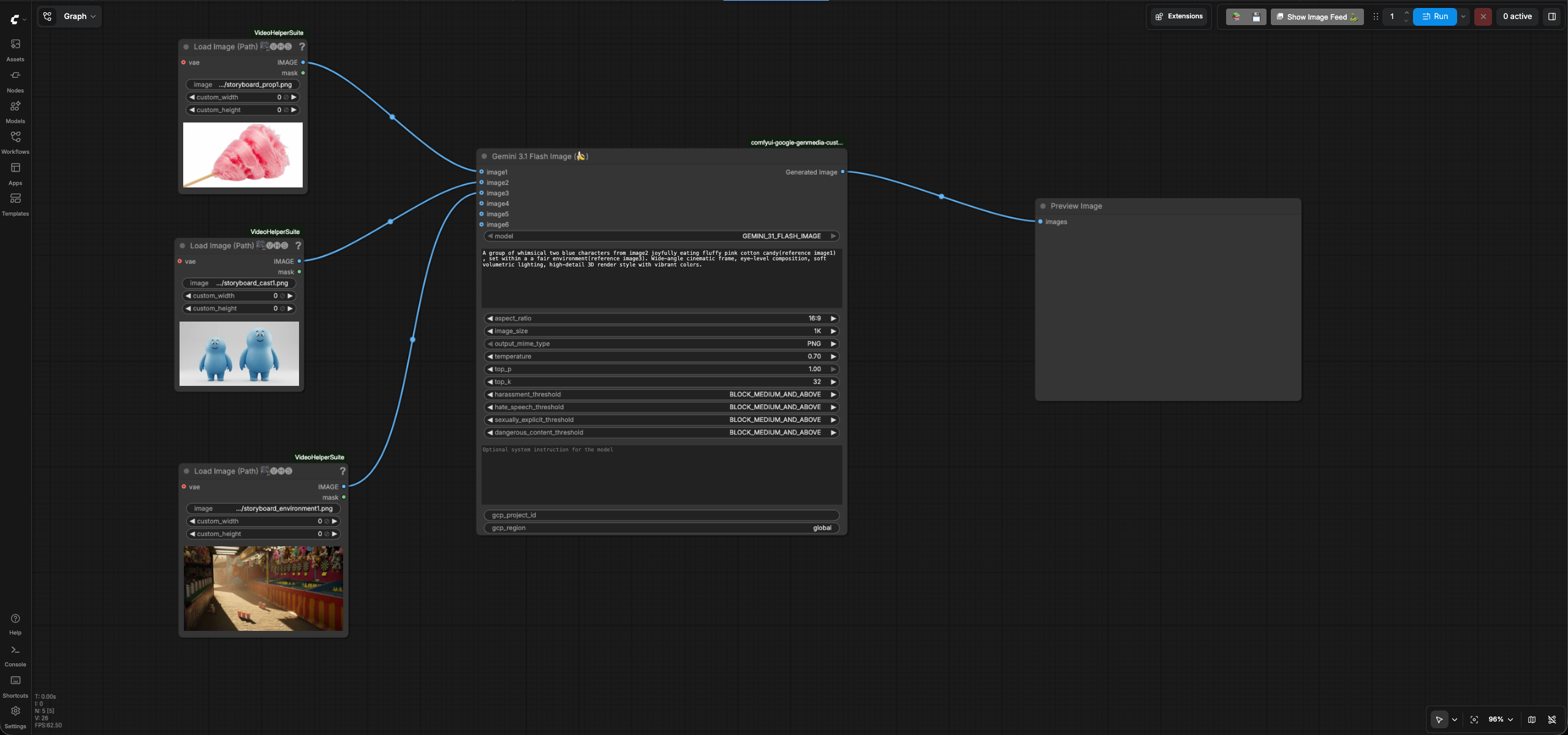
- Enter your GCP project id in the
gcp_project_idinput field of theGemini 3.1 Flash Image(Nano Banana) node and leave theregioninput as "global" -
Review the text prompt which follows the formula [Subject] + [Action] + [Location/context] + [Composition] + [Style] based on the prompting best practices for Nano Banana.
-
Run the workflow. You will get an image similar to the storyboard scene1 reference to image output.
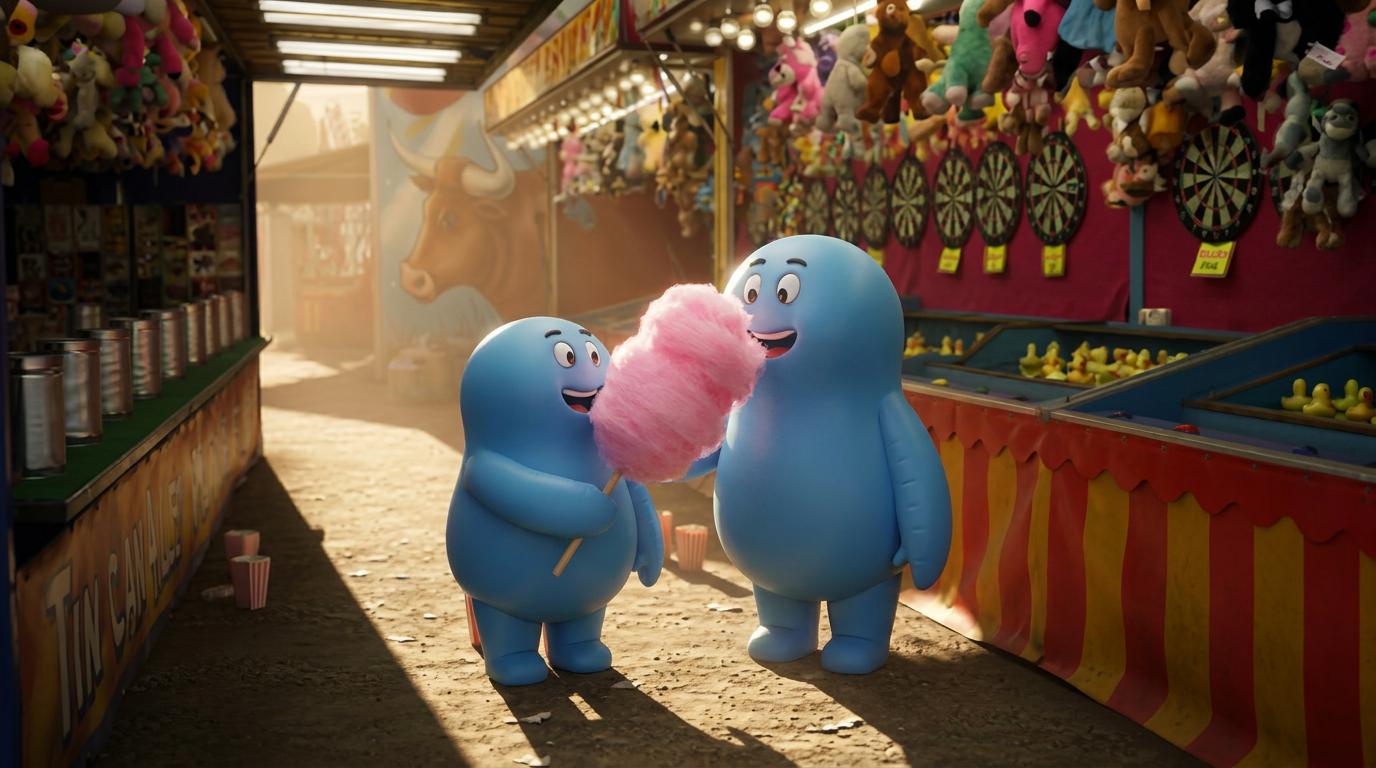
You have created your first scnene.
Create another scene with Reference to Image feature in Nano Banana
- Go to ComfyUI. Click the
Workflowsmenu on the left and selectstoryboard>storyboard_reference_to_image_scene2.json. - It will open the workflow in ComfyUI which will look like the following image:
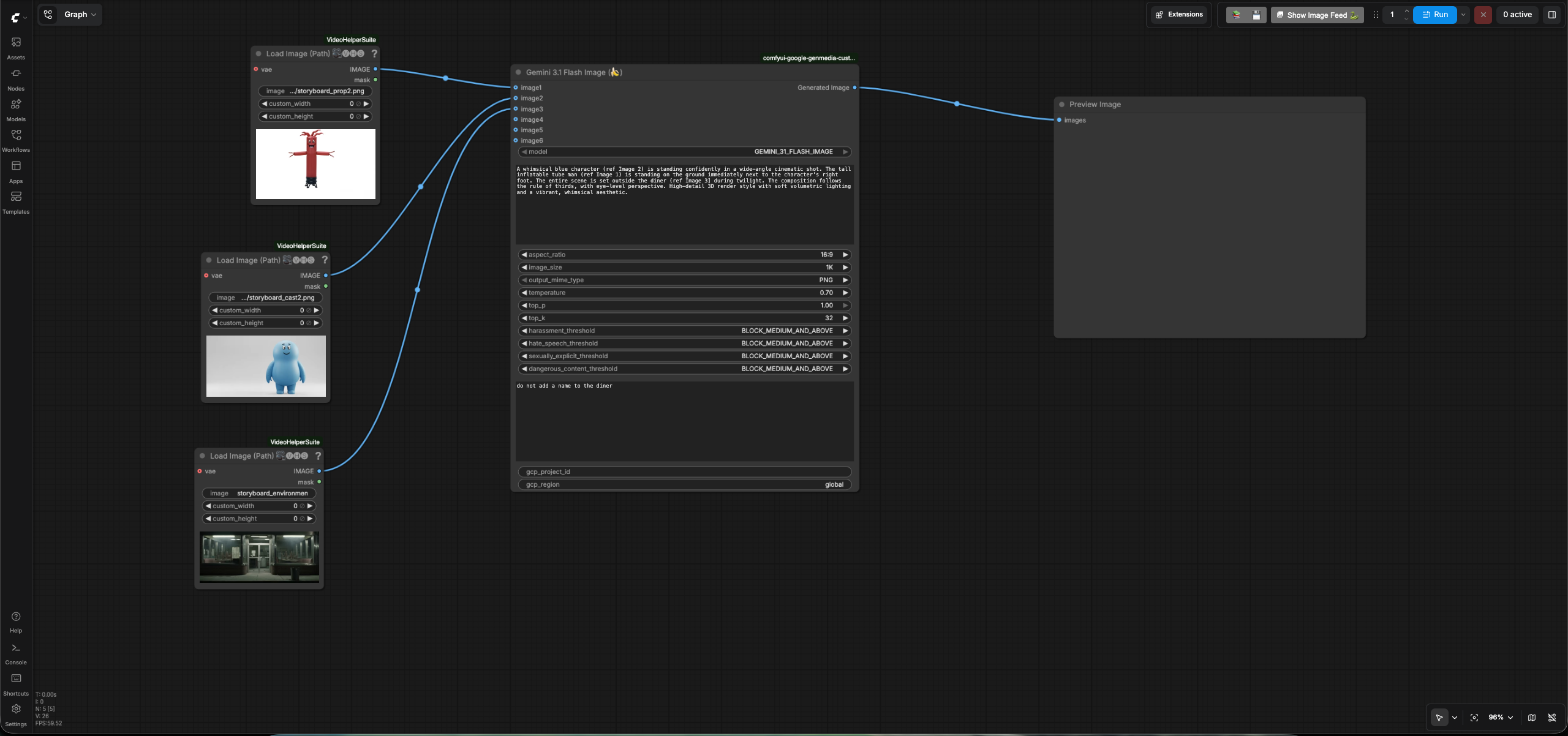
- Enter your GCP project id in the
gcp_project_idinput field of theGemini 3.1 Flash Image(Nano Banana) node and leave theregioninput as "global" -
Review the text prompt which follows the formula [Subject] + [Action] + [Location/context] + [Composition] + [Style] based on the prompting best practices for Nano Banana.
A whimsical blue character (ref Image 2) is standing confidently in a wide-angle cinematic shot. The tall inflatable tube man (ref Image 1) is standing on the ground immediately next to the character's right foot. The entire scene is set outside the diner (ref Image 3] during twilight. The composition follows the rule of thirds, with eye-level perspective. High-detail 3D render style with soft volumetric lighting and a vibrant, whimsical aesthetic. -
Run the workflow. You will get an image similar to the storyboard scene2 reference to image output.
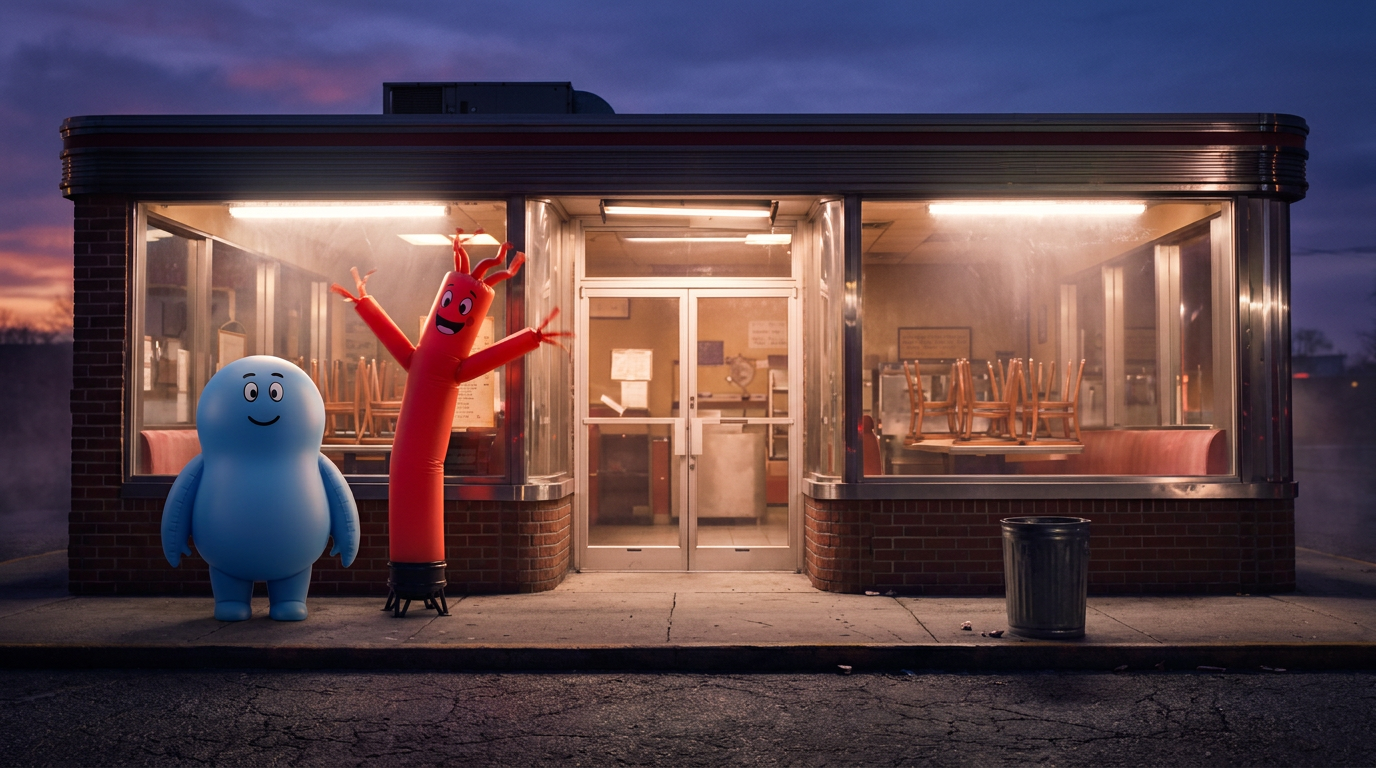
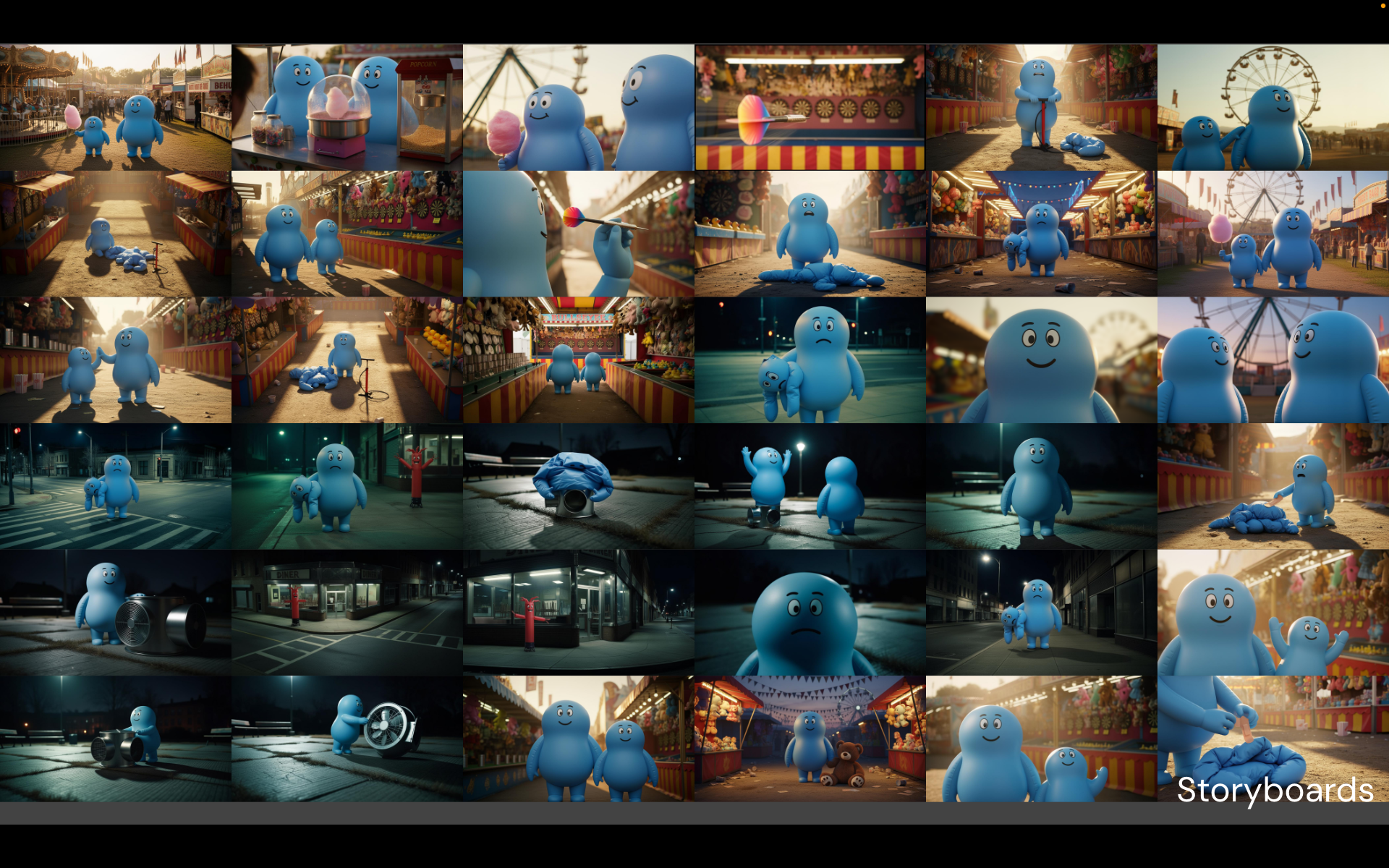
You can follow the same process to build the entire storyboard that will serve the base for your video. It could look something like this:
Go back to the user guide to run the next phases.