Character Continuity
Let's check out how our characters look in different settings.
Check how the character looks when deflating
- Go to ComfyUI. Click the
Workflowsmenu on the left and selectcharacter_continuity>character_continuity_deflation.json. - It will open the workflow in ComfyUI which will look like the following image:
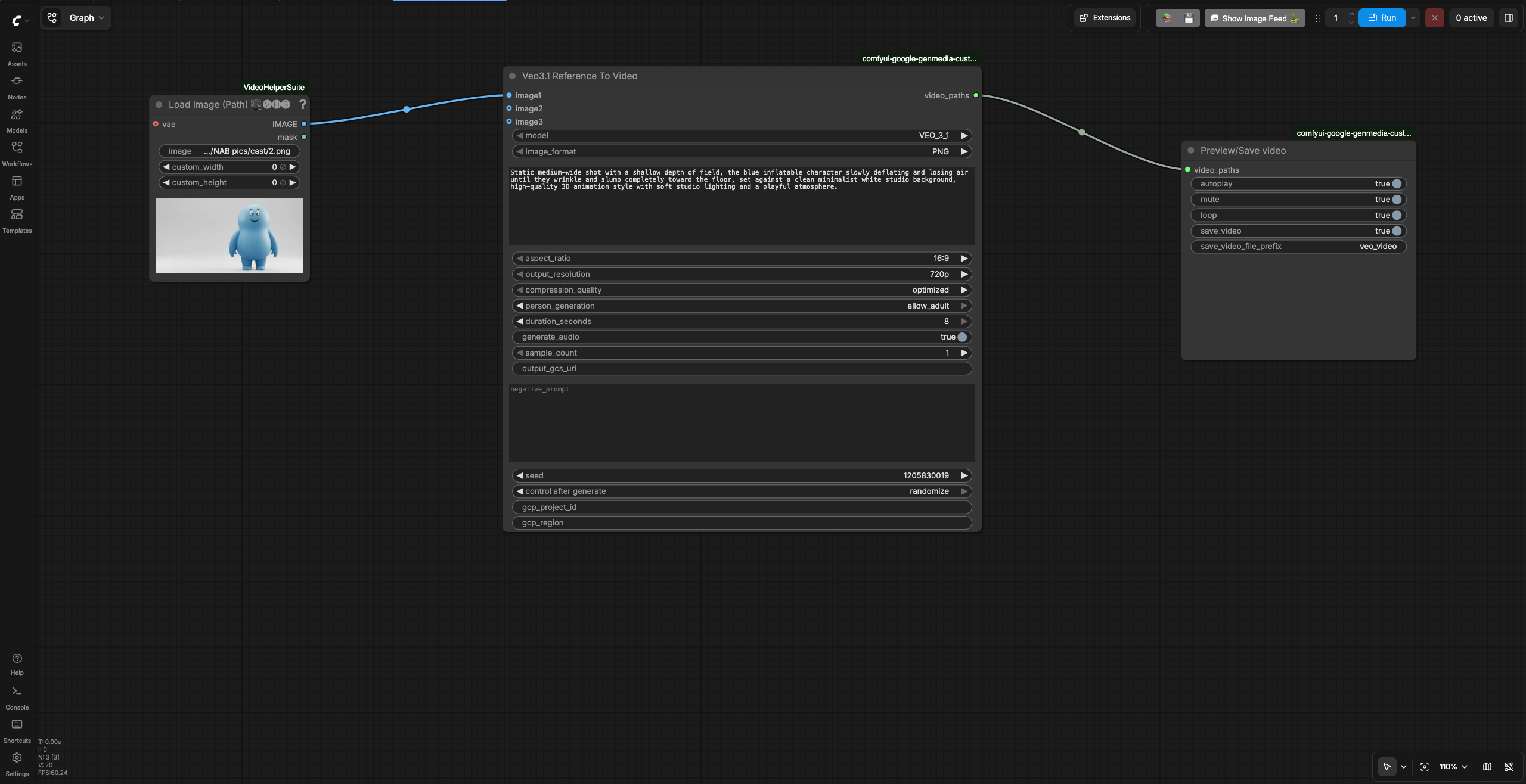
- Enter your GCP project id in the
gcp_project_idand region inregioninput fields of theVeo 3.1node. -
Review the text prompt which follows the formula [Cinematography] + [Subject] + [Action] + [Context] + [Style & Ambiance] based on the prompting best practices for Veo.
Static medium-wide shot with a shallow depth of field, the blue inflatable character slowly deflating and losing air until they wrinkle and slump toward the floor, set against a clean minimalist white studio background, high-quality 3D animation style with soft studio lighting and a playful atmosphere. -
Run the workflow. You will get an video similar to the character continutiy deflation video output.
Check how the character looks while walking in the fair
- Go to ComfyUI. Click the
Workflowsmenu on the left and selectcharacter_continuity>character_continuity_scene1.json. - It will open the workflow in ComfyUI which will look like the following image:
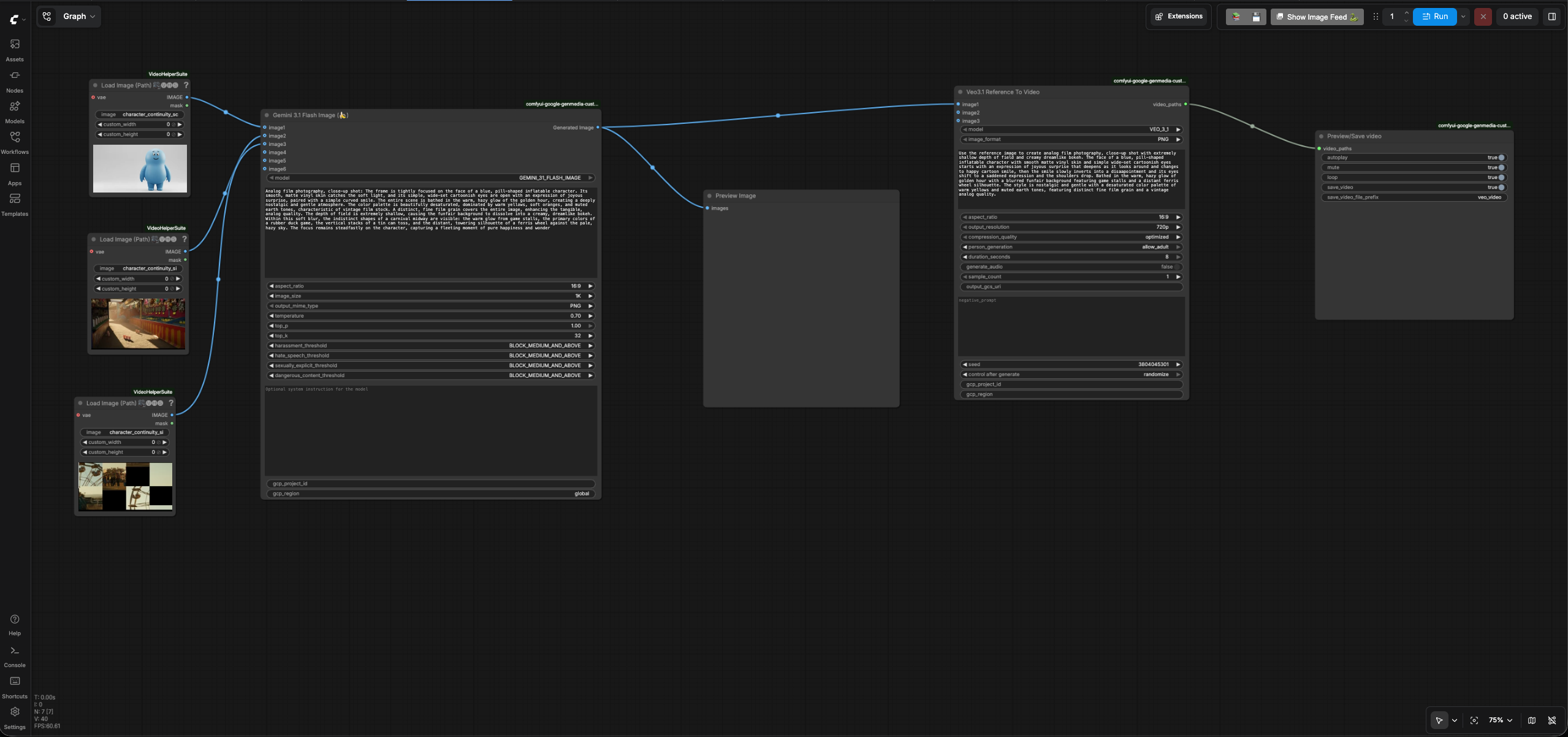
- Enter your GCP project id in the
gcp_project_idinput field of bothGemini 3.1 Flash ImageandVeo 3.1nodes. - Leave the
regioninput as "global" inGemini 3.1 Flash Image(Nano Banana) node. - Enter the region in
regioninput field of theVeo 3.1node. -
Review the text prompt in
Gemini 3.1 Flash Imagenode which follows the formula [Subject] + [Action] + [Location/context] + [Composition] + [Style] based on the prompting best practices for Nano Banana.Analog film photography, close-up shot: The frame is tightly focused on the face of a blue, pill-shaped inflatable character. Its smooth, matte vinyl skin catches the soft light, and its simple, wide-set cartoonish eyes are open with an expression of joyous surprise, paired with a simple curved smile. The entire scene is bathed in the warm, hazy glow of the golden hour, creating a deeply nostalgic and gentle atmosphere. The color palette is beautifully desaturated, dominated by warm yellows, soft oranges, and muted earth tones, characteristic of vintage film stock. A distinct, fine film grain covers the entire image, enhancing the tangible, analog quality. The depth of field is extremely shallow, causing the funfair background to dissolve into a creamy, dreamlike bokeh. Within this soft blur, the indistinct shapes of a carnival midway are visible: the warm glow from game stalls, the primary colors of a rubber duck game, the vertical stacks of a tin can toss, and the distant, towering silhouette of a ferris wheel against the pale, hazy sky. The focus remains steadfastly on the character, capturing a fleeting moment of pure happiness and wonder -
Review the text prompt in
Veo 3.1node which follows the formula [Cinematography] + [Subject] + [Action] + [Context] + [Style & Ambiance] based on the prompting best practices for Veo.Use the reference image to create analog film photography, close-up shot with extremely shallow depth of field and creamy dreamlike bokeh. The face of a blue, pill-shaped inflatable character with smooth matte vinyl skin and simple wide-set cartoonish eyes starts with an expression of joyous surprise that deepens as it looks around and changes to happy cartoon smile, then the smile slowly inverts into a disaapointment and its eyes shift to a saddened expression and the shoulders drop. Bathed in the warm, hazy glow of golden hour with a blurred funfair background featuring game stalls and a distant ferris wheel silhouette. The style is nostalgic and gentle with a desaturated color palette of warm yellows and muted earth tones, featuring distinct fine film grain and a vintage analog quality. -
Run the workflow. You will get an video similar to the character continutiy scene1 video output.
Go back to the user guide to run the next phases.