AI Skills
SCRAPI includes an AI skills system that lets Claude Code and Gemini CLI operate as your AI development assistant for building CX Agent Studio agents. Instead of typing SCRAPI commands manually, you describe what you want in natural language and the AI handles the rest — from running PRD interviews to creating agents to running evaluations.
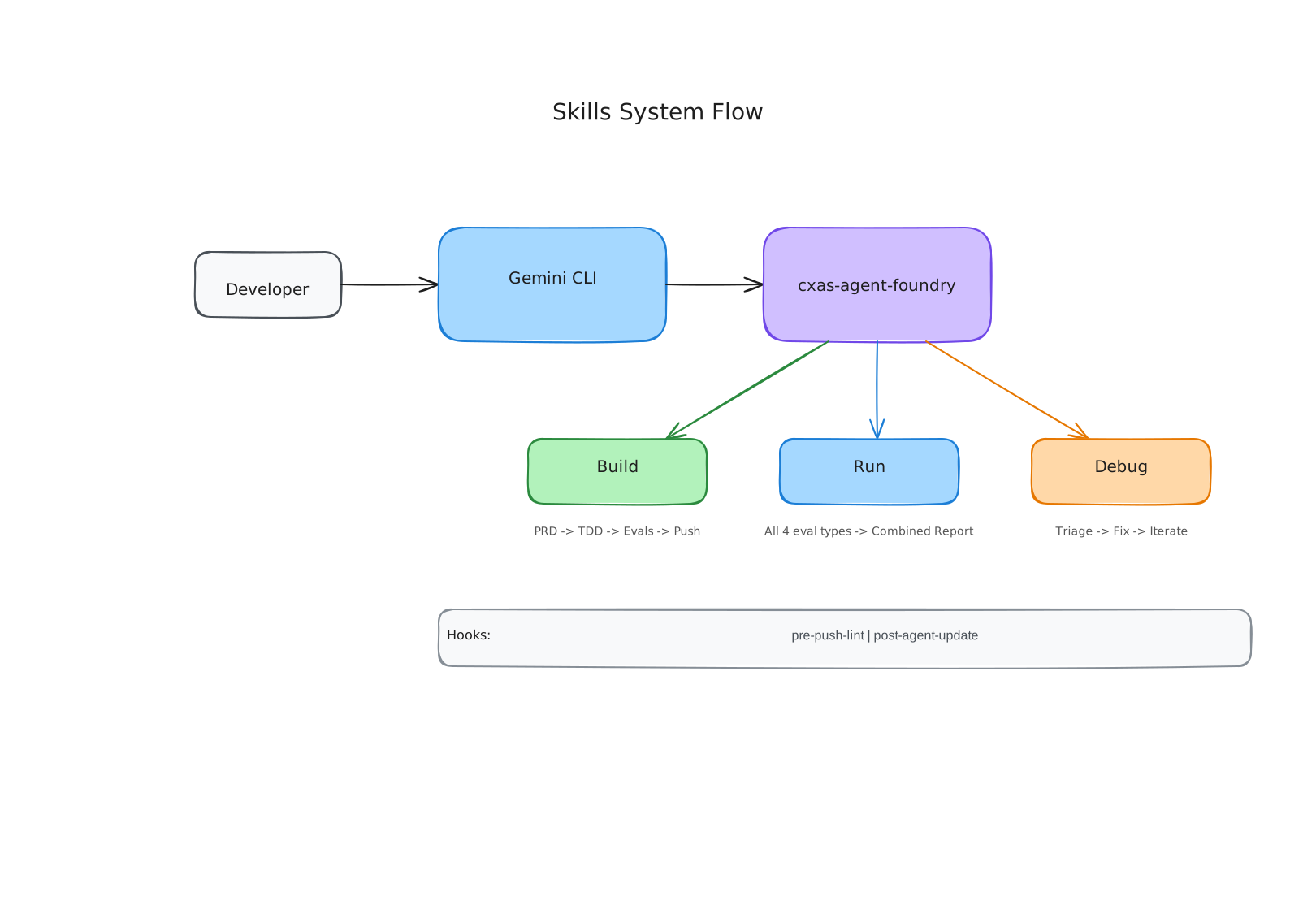
What a skill is
A skill is a bundle of instructions, context, and scripts that an AI assistant uses to perform a specific task. Skills live in your project's .agents/skills/ directory as folders, each containing a SKILL.md file.
The SKILL.md file has YAML frontmatter that declares the skill's name, description, and dependencies, followed by Markdown content that gives the AI detailed instructions on how to perform the task.
.agents/skills/
├── cxas-agent-foundry/
│   ├── SKILL.md              # The main composite skill
│   ├── references/           # Sub-skill definitions (build, run, debug)
│   ├── scripts/hooks/        # Hook scripts for pre-push and post-update
│   └── assets/               # Project templates
├── cxas-sim-eval/
│   └── SKILL.md              # Simulation eval skill
└── ...
The AI reads the SKILL.md as part of its context. When you invoke a skill, the AI follows the instructions in that file to complete the task. The foundry loads sub-skills (build, run, debug) from references/ as needed.
How AI assistants pick up skills
Claude Code
Claude Code automatically picks up skills from .agents/skills/. SCRAPI installs hooks into .claude/settings.json that run before and after relevant commands.
The skill is automatically triggered when you describe what you want:
Gemini CLI
Skills are also registered in .gemini/settings.json. Invoke from Gemini CLI with:
The main skill: cxas-agent-foundry
cxas-agent-foundry is the composite skill that covers the full agent development lifecycle. It's actually an umbrella for three sub-skills:
| Sub-skill | What it does |
|---|---|
| Build | Runs a PRD interview, defines test cases, creates evals, and creates the agent on the platform |
| Run | Runs all four eval types and generates a combined report |
| Debug | Analyzes failures, proposes fixes, and iterates until a target pass rate is achieved |
The foundry skill acts as a router — when you invoke it, it checks the current state of the environment and routes you to the appropriate sub-skill.
Hooks
Skills can register hooks that run automatically at specific points in the development loop:
| Hook | When it runs |
|---|---|
pre-agent-push-lint.sh | Before every cxas push — runs the linter |
pre-agent-push.sh | Before every cxas push — detects drift |
post-agent-update.sh | After the platform is updated — auto-syncs local files |
See Hooks Reference for details.
The gecx-config.json file
Skills need to know which project and app to operate on. This configuration lives in gecx-config.json in your project root:
{
  "gcp_project_id": "my-gcp-project",
  "location": "us",
  "app_name": "My Support Agent",
  "deployed_app_id": null,
  "model": "gemini-3.1-flash-live",
  "modality": "text"
}
The skills read this file to determine which app to build/run/debug.
Getting started with skills
- Install skills into your project:
cxas init - Set up
gecx-config.jsonwith your project details - Open Claude Code or Gemini CLI in your project directory
- Describe your task in Claude Code or use
/cxas-agent-foundryin Gemini CLI
For a detailed walkthrough of the cxas init command, see Installing Skills.