Linting
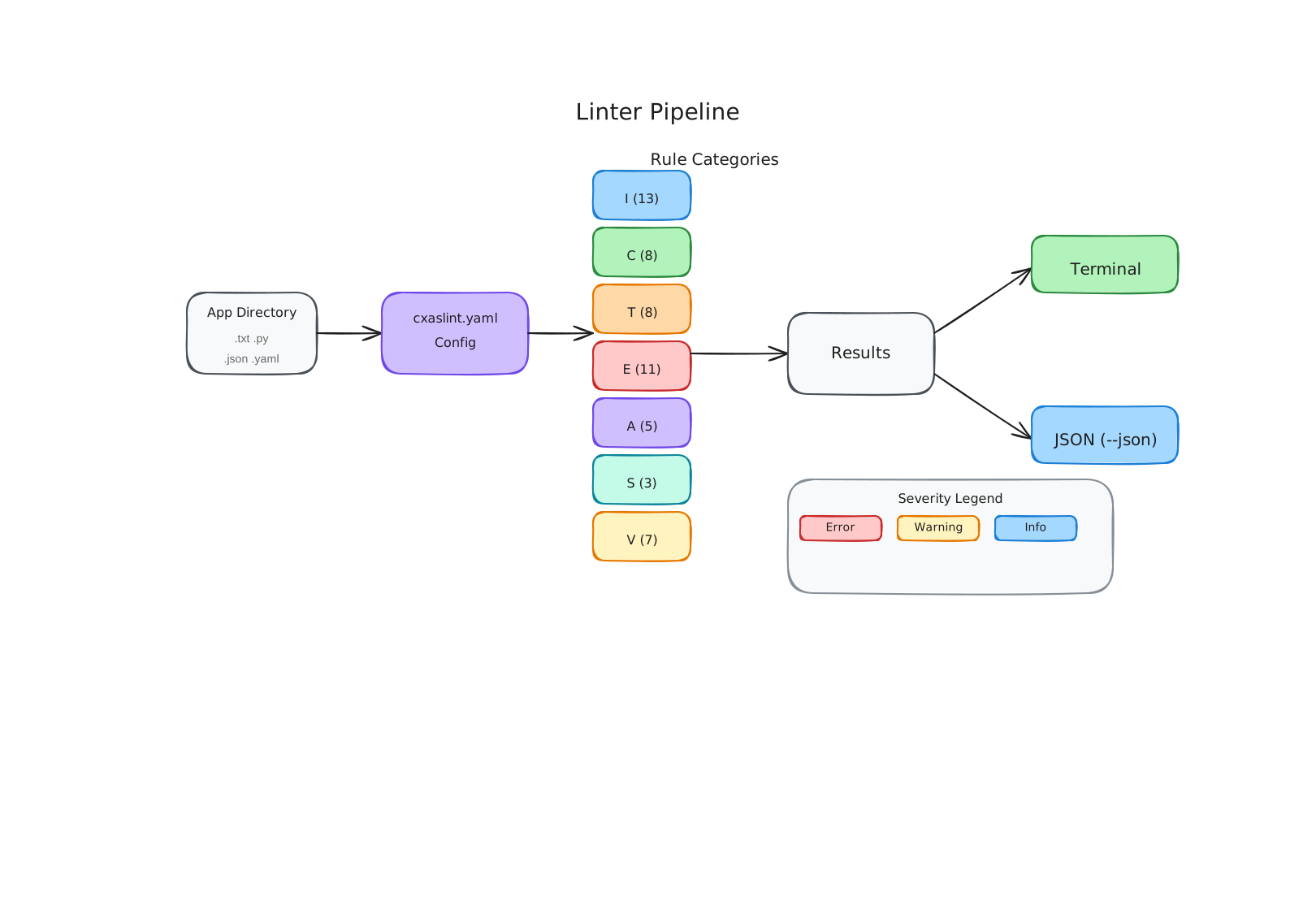
The SCRAPI linter is a static analysis tool for CX Agent Studio apps. It checks your local agent files — instructions, tool code, callback code, eval YAML, and configuration JSON — against a set of rules that catch both outright bugs and best-practice violations before you push.
Why linting matters
The CX Agent Studio platform silently fails in ways that can be hard to trace. A tool with invalid Python syntax gets dropped during import — with no error message. A callback that returns a dict instead of LlmResponse causes unexpected behavior that looks like a model issue. A golden eval with a missing agent field causes every run to report "UNEXPECTED RESPONSE".
The linter catches these problems locally, giving you actionable feedback before you commit or push.
Running the linter
By default, the linter looks for a cxaslint.yaml config file in the current directory. If it doesn't find one, it uses sensible defaults.
To run against a specific directory:
To get JSON output (useful for CI):
Example output
Linting: cxas_app/My Support Agent
=====================================

  [E] agents/support-root/instruction.txt [I001] Missing required XML tag: <role>
  [W] agents/support-root/instruction.txt [I003] Found 4 IF/ELSE blocks — excessive programmatic logic degrades LLM reliability
      Fix: Move deterministic branching to callbacks.
  [E] tools/lookup_order/python_function/python_code.py [T001] Missing agent_action error return pattern
      Fix: Add: return {"agent_action": "error message for agent to relay"}
  [W] tools/lookup_order/python_function/python_code.py [T002] Missing docstring — CES uses tool docstrings for invocation routing
  [E] agents/support-root/support-root.json [A003] Agent config lists tool 'order_lookup' but it does not exist
      Fix: Available tools: lookup_order

Summary: 3 errors, 2 warnings, 0 info
Each issue includes:
- Severity —
[E]error,[W]warning,[I]info - File and optional line number — where the issue is
- Rule ID — so you can look up the full rule reference
- Message — what's wrong
- Fix suggestion — how to fix it
Severity levels
| Severity | Meaning |
|---|---|
error | Almost certainly wrong — will cause failures at push time or runtime |
warning | Likely a problem — won't necessarily fail but indicates a best-practice violation |
info | Worth knowing about, but probably fine to leave as-is |
off | Rule is disabled |
You can override severity levels per rule in cxaslint.yaml.
What the linter checks
The linter has 7 categories covering every file type in your agent app:
| Category | Code prefix | Files checked |
|---|---|---|
| Instructions | I | instruction.txt files |
| Callbacks | C | Callback python_code.py files |
| Tools | T | Tool python_code.py files |
| Evals | E | Golden and simulation YAML files |
| Config | A | app.json and agent JSON files |
| Structure | S | Cross-reference checks between files |
| Schema | V | JSON schema validation against CES protos |
For the complete rule reference, see Rule Reference. For configuration options, see Configuration.
Using the linter as a gate
The recommended approach is to run cxas lint before every push and fail the push if there are errors. The skills system's pre-agent-push-lint.sh hook does this automatically.
For CI, use the --json flag and check the exit code:
See CI Integration for full details on integrating the linter into GitHub Actions.