CLI Reference
The cxas CLI puts the full power of CX Agent Studio in your terminal — you can pull apps, push changes, run evaluations, lint your configs, spin up GitHub Actions, and a whole lot more, all without touching the Cloud Console.
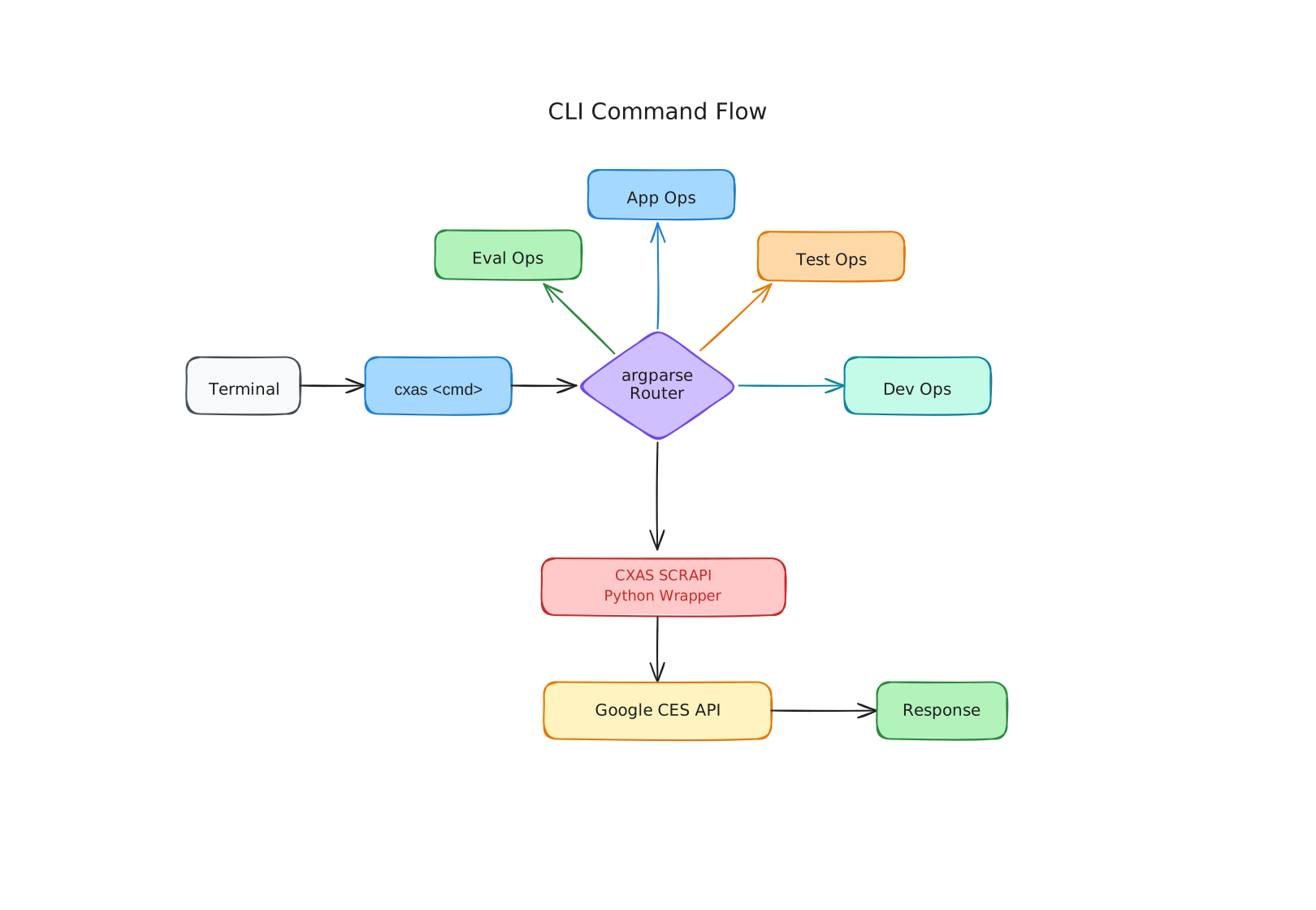
Global Options
These options apply to every cxas command:
| Option | Required | Default | Description |
|---|---|---|---|
--oauth-token TOKEN | No | — | OAuth bearer token for authenticating with the CES API. If omitted, the CLI falls back to CXAS_OAUTH_TOKEN and then to Application Default Credentials. |
Environment Variables
| Variable | Description |
|---|---|
CXAS_OAUTH_TOKEN | OAuth bearer token. Set this instead of passing --oauth-token on every command. |
GOOGLE_APPLICATION_CREDENTIALS | Path to a service account key file. Used as a fallback when no OAuth token is present, following standard Google Cloud ADC behaviour. |
Resource Identifier Format
Most commands that target a specific app accept either a full resource name or a display name. The full resource name follows this pattern:
For example:
When you pass a display name (e.g., "My Support Agent") instead of a resource name, you also need to provide --project-id and --location so the CLI can look it up.
Commands
| Command | Description |
|---|---|
cxas pull | Export an app from CX Agent Studio to a local directory. |
cxas push | Upload a local agent directory back to CX Agent Studio. |
cxas create | Create a brand-new app in CX Agent Studio. |
cxas delete | Permanently delete an app. |
cxas branch | Clone an existing app into a new one (pull → create → push). |
cxas apps | List all apps or get details about a specific one. |
cxas export | Export an evaluation definition to a YAML or JSON file. |
cxas push-eval | Upload evaluation definitions from a YAML file to an app. |
cxas run | Trigger evaluations and optionally wait for results. |
cxas test-tools | Run unit tests against your agent's tools. |
cxas test-callbacks | Run unit tests for all callbacks in an app directory. |
cxas test-single-callback | Run unit tests for a single, specific callback. |
cxas ci-test | Run the full CI test lifecycle against a temporary app. |
cxas local-test | Run the CI test lifecycle inside a local Docker container. |
cxas init-github-action | Generate a GitHub Actions workflow file for your agent. |
cxas lint | Fast, deterministic structural and configuration linter across 60+ rules. |
cxas llm-lint | AI-driven semantic natural language prompt linter for sub-agent instructions using Gemini. |
cxas help | Show detailed help for the CLI or any specific subcommand. |
cxas init | Bootstrap a project with AI agent development skills. |
cxas insights | Manage QA scorecards via the Insights API. |
cxas trace | Inspect, analyze, and report on individual conversations (deployed/build/eval) — list, fetch report, merge Cloud Logs, download/analyze audio with Gemini, replay against current agent, aggregate stats, and flag platform bugs. |
Static Linting vs AI Semantic Linting
CXAS provides two complementary linting tools designed for different stages of your development workflow:
cxas lint(Static Structural Linter)- What it does: Runs deterministic checks against file layouts, YAML/JSON schemas,
app.yaml/app.jsonconfigs, callback naming conventions, and basic instruction lengths. -
When to run: Continuously while coding, inside Git pre-commit hooks, and as a fast initial gate in local/CI test pipelines.
-
cxas llm-lint(AI Semantic Linter) - What it does: Uses Gemini to review the actual meaning, tone, persona adherence, and logical consistency of your natural language prompts (
instruction.txt,global_instruction.txt, and dynamic state instructions inbefore_agent_callbacks). - When to run: When authoring or refactoring prompt engineering instructions, conducting thorough prompt quality reviews, or preparing for high-stakes production deployments.