Settings & troubleshooting
This page is the reference for every cxas.* setting the extension exposes, plus the fixes for the most common breakage. For a more guided tour of the day-to-day features, start with Authoring features.
Settings reference
Open VS Code Settings (Cmd+,) and type cxas in the search bar to see all options:
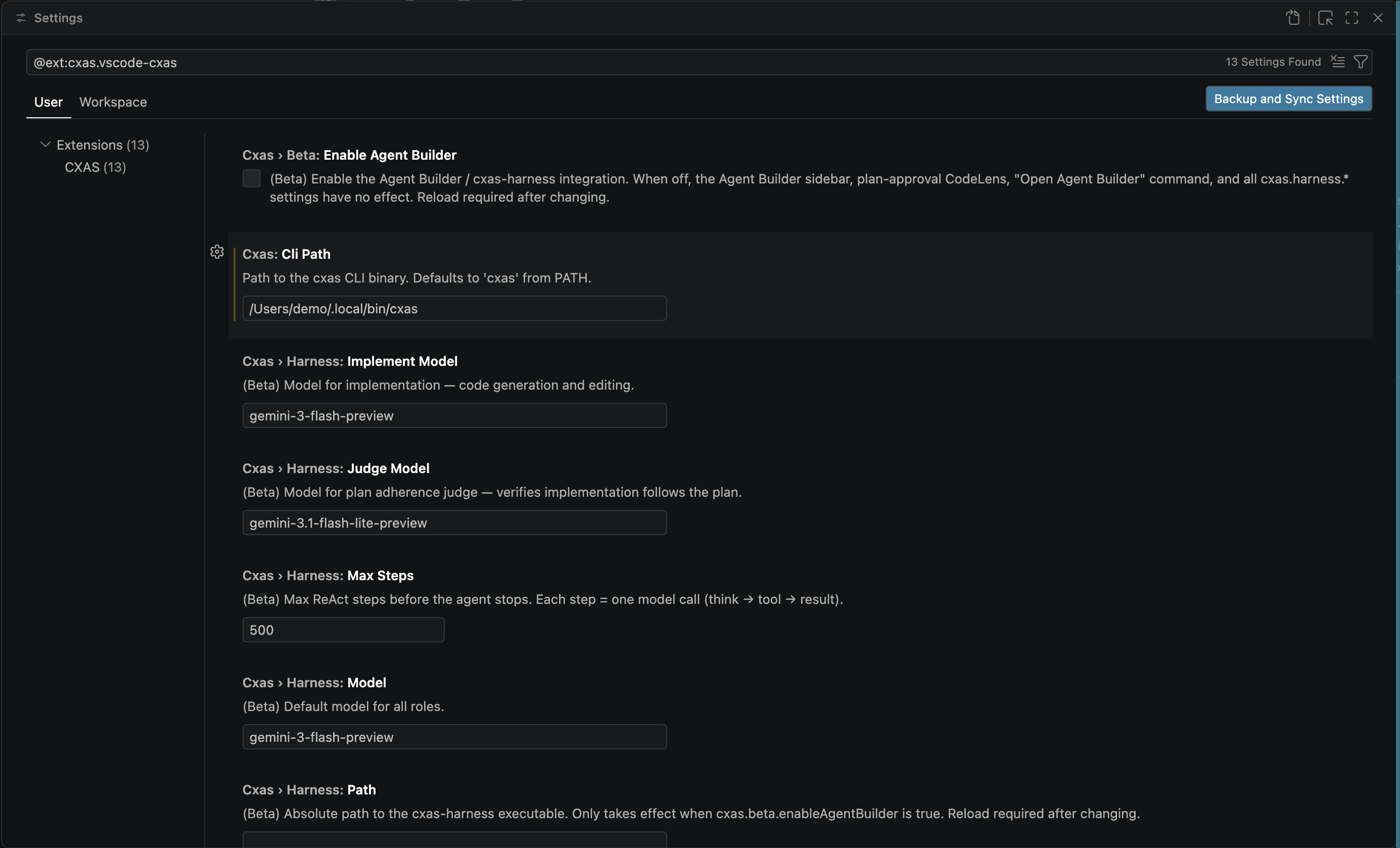
| Setting | Default | Purpose |
|---|---|---|
cxas.cliPath | cxas | Path to the cxas CLI binary. Set this if cxas isn't on your shell PATH (or the same PATH VS Code resolves), or if you maintain multiple installs (e.g. one in a project virtualenv). |
cxas.pythonPath | (empty — falls back to python3) | Override the Python interpreter the extension uses to invoke helper scripts. Useful when the system Python doesn't have cxas-scrapi installed but a project virtualenv does. |
cxas.lintOnSave | true | Auto-run cxas lint whenever a project file is saved. Set to false if the on-save run is too noisy mid-edit; the inline lint and Cmd+Shift+L keybinding still work either way. |
cxas.scriptsPath | (empty — auto-detected from .agents/skills/) | Path to the bundled CXAS helper scripts directory. Leave blank unless you've moved the scripts somewhere non-standard. |
cxas.oauthToken | (empty) | OAuth token override for CES API authentication. Use this only when ADC isn't available; in normal development run gcloud auth application-default login instead. |
The keyboard shortcut Cmd+Shift+L (Ctrl+Shift+L on Linux/Windows) is bound to CXAS: Lint App while an editor has focus. Rebind it via VS Code's Keyboard Shortcuts UI (search cxas.lint).
Common issues
cxas CLI not foundkeeps showing after install.- Reload the window (
Developer: Reload Window). If it still appears, the Python that hascxas-scrapiinstalled isn't the one VS Code resolved. Setcxas.cliPathto the absolute path of thecxasbinary (usewhich cxasfrom a terminal where it works) andcxas.pythonPathto the matching interpreter. pip installfails with permission errors.- Install in user scope:
pip install --user cxas-scrapi. If you're behind a corporate proxy or private package index, configure pip first and re-run the install command. - Lint output is empty or wrong.
- Run
CXAS: Lint Appfrom the Command Palette to see the raw output in the CXAS output channel. Confirm the active project (status bar, lower-left) points at the workspace you expect; the lint runs against that project, not against whichever file you happen to have open.
Push or pull fails with gcloud auth errors. :
- Tree view doesn't update after I add a file outside VS Code.
- Click the refresh icon on the CXAS Project panel header. The extension watches files inside common directories (
agents/,tools/,evals/,app.json), but a refresh forces a full re-scan. - Inline lint shows different results than
cxas lint. - The inline checker runs a fast TypeScript subset of the rules to keep typing responsive. The full Python linter (
cxas lint) is authoritative; if the two disagree, trust the on-save /Cmd+Shift+Lrun. Push Appfails with404 Not Found.gecx-config.jsonhas a staledeployed_app_id. Either delete the field and re-create the app withCXAS: Create App, or paste in the resource name of the app you actually want to push to.- Live Chat shows
permission deniedor hangs after sending a message. - The deployed app may be in an error state, or your credentials lack
cxas.runConversationpermission. Open the app in the GCP console (right-click the app node → Open in Console) and confirm the latest deployment is healthy.
Filing issues
When reporting a bug, include:
- The CXAS output channel contents (
View → Output → CXAS) - VS Code version (
Code → About), OS, andcxas --versionfrom a terminal - Steps to reproduce, what you expected, what happened
- A minimal repro project if the bug is reproducible (the Quickstart demo is a good base)
Where to go next
- Overview
- Back to the section landing page.
- Quickstart
- The end-to-end demo, useful for confirming a fresh install works.